Construction Quotes is the operations system for contractors who bid work, send
crews and bill for it. One quote number carries every job from the estimate to the last dollar
collected, with no spreadsheet, no re-keying and no lost margin.
Built from a working contractor's estimating workbook, then given a database, an audit trail
and a login for everyone on the team.
One number from quote to invoice
Each quote takes the next number from your pool, with the customer's code in front. Its
tasks, and every purchase order and invoice you raise, carry the same number, so
CT-26006-D1 is always the demolition on job 26006.
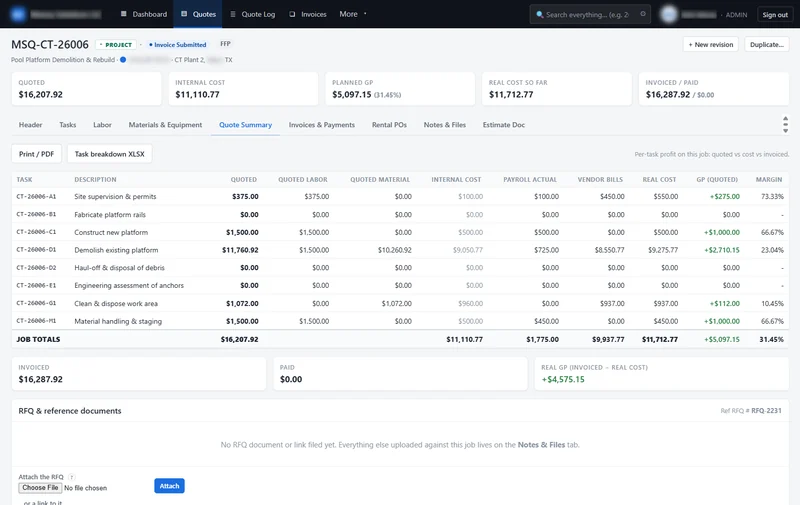
Quoted, internal and real cost on every task
Quoted price, planned cost and real cost sit side by side on every task. Real cost climbs
as payroll hours and vendor bills land, so you can see a job drifting from the margin you
planned.
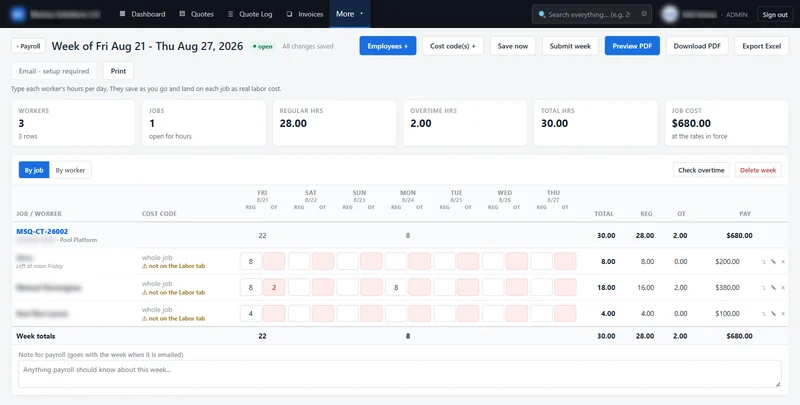
A weekly labor grid for the crew
Hours per worker, per job and cost code, regular and overtime, on a Friday-to-Thursday
week. It works on a phone turned sideways, and the hours land on each job as real labor
cost.
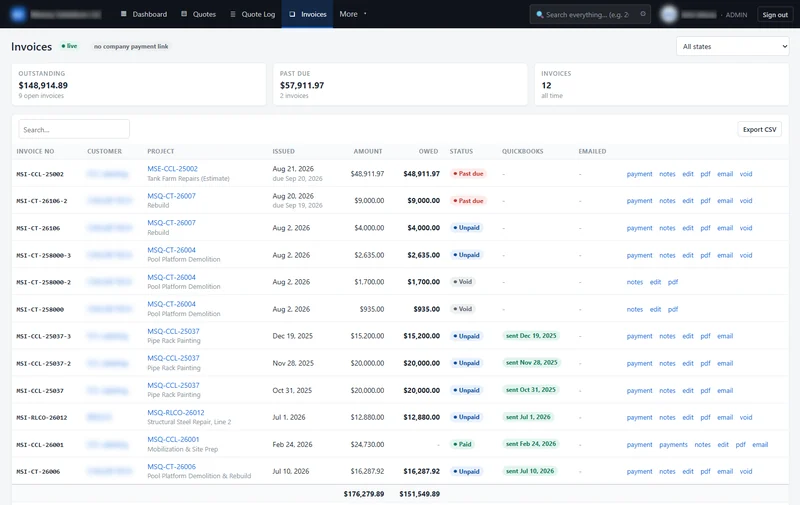
Invoices that follow the job
Bill the whole job, a set amount or only the lines you tick, including split billing.
Record each payment against its invoice and see at a glance what is past due.
The screens that run the business
Real captures from the running app. Customer and staff names are blurred; everything else is
as built. Select a screen to see it full size.
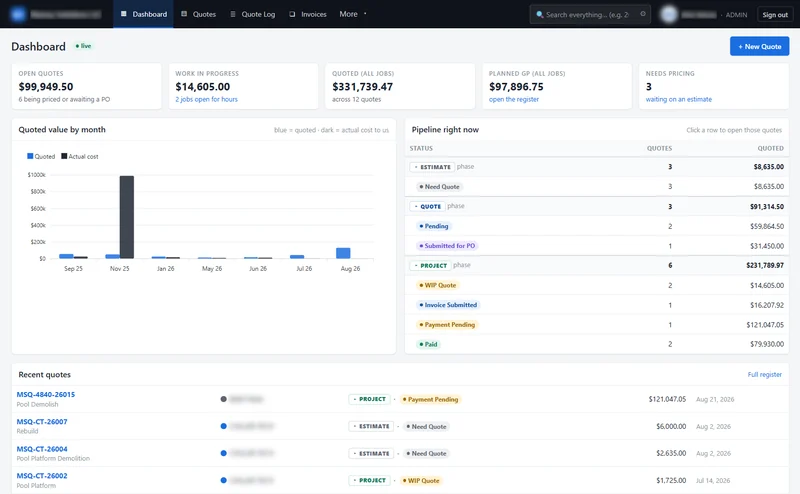
The owner's dashboard
Open quotes, work in progress, total quoted and planned profit, with the whole pipeline broken down by status. Click any pipeline row to open the quotes behind it.
Planned against actual, per task
Quoted labor and material beside internal cost, payroll spent and vendor bills, with profit and margin on every task and for the job.
The weekly payroll grid
Friday to Thursday, every worker against the job they worked, regular and overtime side by side. Hours save as they are typed and land on the job as real labor cost.
Money owed, at a glance
Every invoice with what is outstanding and what is past due. Record a payment, reprint the PDF or email it to the customer from the same row.
Request access for your company
Tell us who you are and a person will set up your workspace.
Send the form
Your name, your company and a work email. There is no password to choose yet.
We review it
A person looks at every request. No card, no trial timer.
Your workspace opens
We email your sign-in details. You come in as your company's administrator and invite
your team.
✓
Request received
We will review your company and activate your access shortly. Your
sign-in details come by email once it is approved.